


The ZipPass mobile fare app is being phased out. We have launched a new mobile fare app called Transit Connect, which will replace ZipPass in 2026. Please note the following key dates:
We encourage all riders to switch to the new Transit Connect app for a smoother, more secure mobile fare experience.
Yolobus is making it easier than ever to pay your fare with the launch of a new mobile fare payment app! The new app, called Transit Connect, is part of our commitment to improving the rider experience. The new payment platform will be rolled out in multiple phases to provide a smooth transition for riders.
Everyone can purchase full fare tickets, but if you qualify for a discount fare (senior 62+ or a person with a disability), follow the simple steps below to access reduced pricing.
Need Help?
Contact Yolobus Customer Service at 530-666-BUSS (2877).
Just like the Connect Card system, Transit Connect will expand across the region’s transit partners, starting with SacRT, followed by Yolobus and Unitrans. Full integration is expected by fall 2026, creating a seamless fare payment experience across multiple transit providers in a single app.
Transit Connect is more than a new app—it’s a smarter, simpler way to ride. Whether you’re a daily commuter or an occasional rider, this new system is designed to work for you.
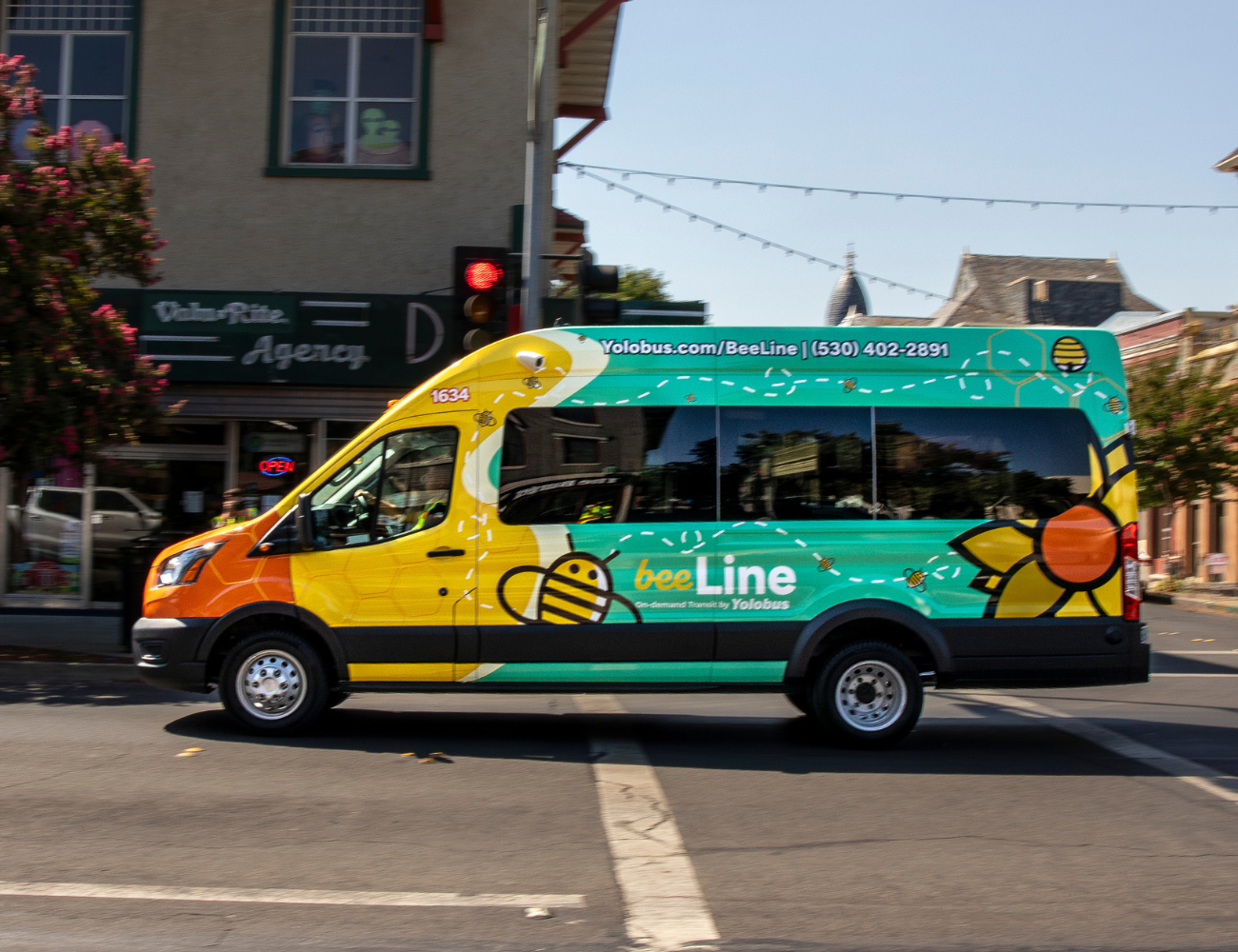
Learn how to download and use the new Transit Connect App to pay your fare! Check out the steps in the how to use video.
Also, check out our PDF users guide.
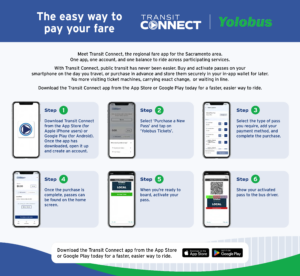
Our mobile fare app Transit Connect allows you to pre-purchase, store and activate tickets and passes instantly on your smartphone. Simply download the app from either the App Store or Google Play to get started.


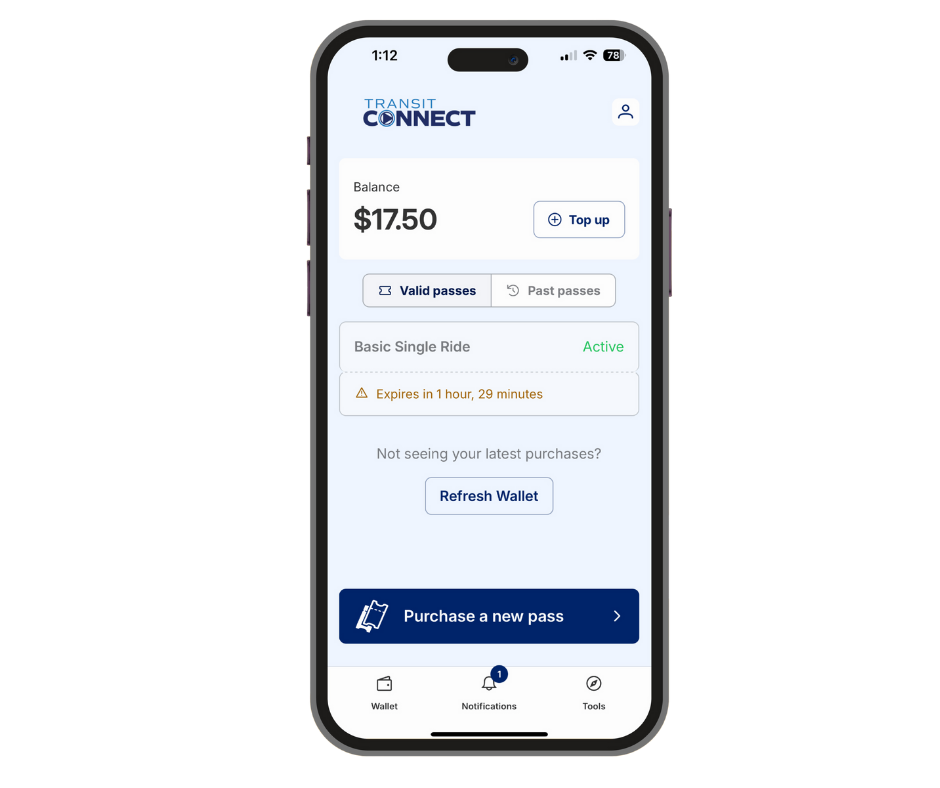
| Q: What is Transit Connect?
A: Transit Connect is Yolobus and SacRT’s new mobile fare payment app that makes it easier to buy, store, and use tickets and passes right on your smartphone.
|
| Q: Who is the app for?
A: Transit Connect is for all riders, whether you ride every day or just occasionally.
|
| Q: When did Transit Connect launch?
A: SacRT launched Transit Connect in fall 2025. Yolobus Phase 1 launched in February 2026.
|
| Q: What will happen to the current ZipPass app?
A: ZipPass will continue to work for a short time after Transit Connect launches but will be phased out in mid-2026.
|
| Q: How do I get the app?
A: The app is available for download from the App Store for iPhones and Google Play for Android devices.
|
| Q: Is the app free?
A: Yes, the app is free to download.
|
| Q: How do I get started with the app?
A: To get started, create an account using your email address.
|
| Q: What types of tickets and passes are available on Transit Connect?
A: Users can purchase single-ride tickets, discount fares, transfers, monthly passes, BeeLine fares, Yolobus Special Paratransit fares, and SacRT + Yolobus passes.
|
| Q: Can I purchase a discount fare on Transit Connect?
A: Yes, but riders must show proof of eligibility when riding. Details are available at yolobus.com/fares.
|
| Q: What payment methods can I use to buy tickets?
A: In the app, you can use a credit or debit card to purchase fares.
|
| Q: How do I show proof of payment when I ride?
A: In Phase 1, you’ll show your activated ticket on your phone screen to the bus operator, similar to ZipPass.
|
| Q: What happens if I lose my phone?
A: Tickets and passes are protected by your Transit Connect account and can be restored when you log in on a new device.
|
| Q: Who qualifies for a discount fare in the Transit Connect App?
A: Discount fares are available for seniors (age 62+) and persons with disabilities. Youth 0-18 ride free on Yolobus, and ride for a discounted rate on BeeLine.
|
| Q: How do I get a discount fare if I’m new to the Transit Connect App?
A: Download the Transit Connect App, and tap “Get Started.” It is recommended to create an account in the app to save your information. Then, tap the profile icon (it looks like a person), go to “My Account” and select “Discounts.” Tap “Add a discount,” then select the category that applies to you. Your discount fares will then appear when buying tickets. Tap “purchase a new pass,” select your fare type, and checkout. Make sure to activate your fare when you’re ready to ride.
|
| Q: Do I need to show proof of eligibility for a discount fare?
A: Yes. Be prepared to show valid ID or documentation such as a student ID, disability card, or proof of age if requested.
|
| Q: I already use the Transit Connect App. How do I add a discount fare?
A: Tap the profile icon, go to “My Account” and select “Discounts.” Discount fares will then appear when buying tickets.
|
| Q: Can I purchase discount fare on Transit Connect?
A: Yes, but riders must show proof of eligibility when riding. Details are available at yolobus.com/fares.
|
| Q: What payment methods can I use to buy tickets?
A: In the app, you can use a credit or debit card to buy tickets.
|
| Q: What types of discount passes are available?
A: You can purchase single fares, monthly passes, BeeLine rides, and SacRT + Yolobus passes at the discounted rate once your fare type is selected.
|
| Q: What if I need help setting up my discount fare?
A: Contact Yolobus Customer Service at 530-666-BUSS (2877) for assistance.
|
| Q: Can I purchase my Yolobus Special fare in the Transit Connect App?
A: Yes, you may purchase your Yolobus Special ADA Paratransit fare in the Transit Connect App. You must meet eligibility requirements and register for the Paratransit service before you are eligible to ride (learn more and apply here). You may also purchase paper tickets in person at the Yolo Transportation Office, 350 Industrial Way, Woodland CA 95776.
|
| Q: How do I purchase a Yolobus Special fare in the app if I’m a new Transit Connect user?
A: Download the Transit Connect App, tap “Get Started,” and create an account. Then, tap the profile icon (it looks like a person), go to “My Account” and select “Discounts.” Tap “Add a discount,” then select Yolobus-ADA Paratransit. Paratransit fares will then appear when buying tickets. Tap “purchase a new pass,” select your fare type, then scroll to the ADA Paratransit ticket that applies to your ride (local, intercity, or premium). Make sure to activate your fare when you’re ready to ride.
|
| Q: Can I schedule my ride in the Transit Connect App?
A: No, you must call us at (530) 666-2877 to book your Yolobus Special paratransit ride.
|
| Q: Does Transit Connect work with other transit providers besides Yolobus?
A: Yes. Just like the Connect Card system, Transit Connect will expand to include regional partners. SacRT began using Transit Connect in fall 2025, and full regional integration (including Unitrans) is expected by fall 2026.
|
| Q: Will I need multiple apps for different transit agencies?
A: No. Once full integration is complete, you’ll be able to use a single app—Transit Connect—for multiple transit providers across the region.
|
|
Q: My transit pass is subsidized by my employer (state workers).
When will I be able to take advantage of Transit Connect? A: You may download and begin using Transit Connect immediately. However, subsidized riders will need to pay for their transit pass out of pocket and then be reimbursed by their employer or subsidizing agency at a later date. State workers and other subsidized pass holders are expected to fully transition to Transit Connect as part of Phase 2 in 2026.
|
| Q: Does Transit Connect affect general Connect Card users?
A: Connect Card will not be impacted and users can continue to use Connect Card as normal.
|